
Care Worker Tax Credit
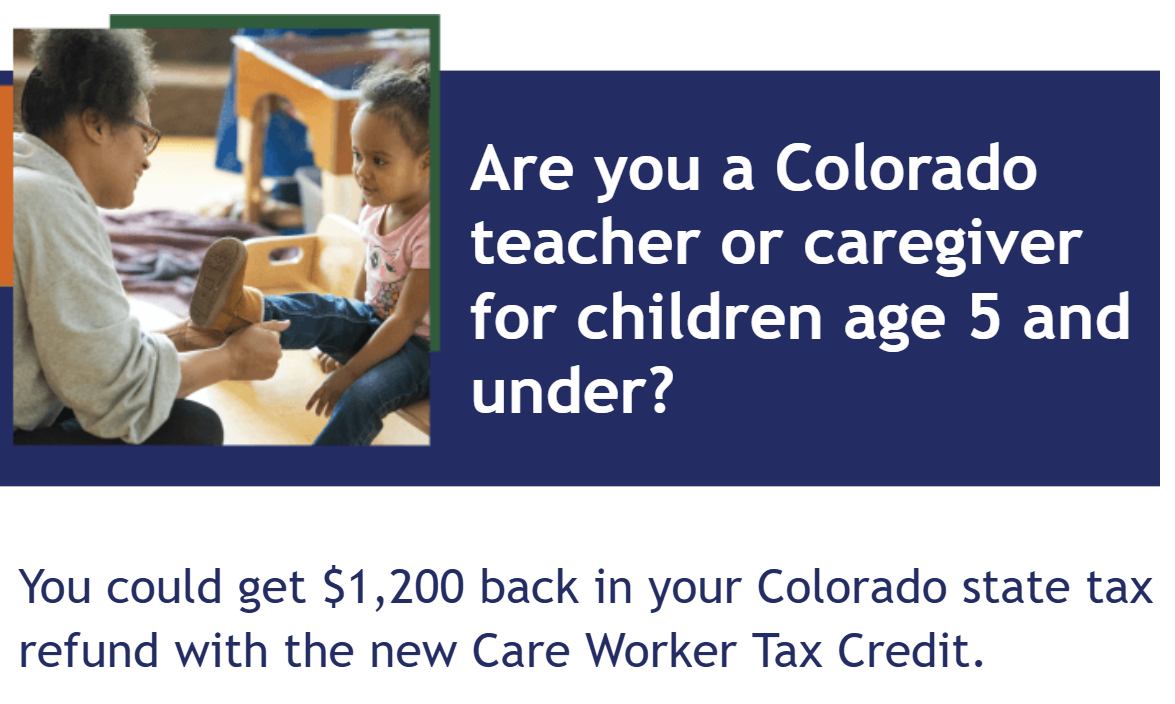
Starting in the 2025 tax year, qualifying child care workers and early childhood professionals are eligible for a refundable $1,200 Colorado state income tax credit. This tax credit recognizes your essential role providing care and education for Colorado’s youngest learners and supports your financial stability.
Important Update: Some individuals who filed a state tax return before February 4, 2026 may be impacted by a Colorado Department of Revenue processing issue. Please see the section below entitled, “Steps to Resolve Tax Credit Adjustments for Early Tax Filers.”
To be eligible, early childhood professionals and child care workers must meet the following requirements:
- Be registered in the Colorado Shines Professional Development Information System (PDIS).
- Have provided child care for at least 720 hours during the tax year (January-December) to children who are five years of age or younger as one of the following:
- An employee or operator of a licensed child care center, preschool, or family child care home with a Colorado Shines rating Level 1-5; or
- An informal family, friend, or neighbor (FFN) child care worker who provides care for children other than their own.
- Have an adjusted gross income less than or equal to $75,000 as a single filer or $100,000 as a joint filer (if you are married and file taxes together).
Qualified direct care workers (in the long-term care sector) are also eligible for the Care Worker Tax Credit. Please review the DR-1217 for more details on eligibility for direct care workers and refer any questions to the Colorado Department of Revenue.
- PDIS is a one-stop online resource for the early childhood workforce. The PDIS is available in English, Spanish, and Arabic and offers a broad range of eLearning courses on child development, health, and safety.
- If you do not already have an account, visit the PDIS to create an account and complete your profile. View the PDIS how-to guide for Creating Your PDIS Account
- Complete the Care Worker Tax Credit Attestation in PDIS (My Account > Profile Settings).
- Login to PDIS and complete the attestation to confirm that you have provided child care for at least 720 hours in the tax year.
- View the PDIS Guide How to Complete the Care Worker Tax Credit Attestation
- View the PDIS Video Walk-Through: Care Worker Tax Credit Attestation
- File Your 2025 Colorado State Income Taxes in Spring 2026.
- To receive the tax credit, you must file a Colorado Individual Income Tax Return, even if you do not owe any taxes.
- You must complete form DR 1217 to claim the Care Worker Tax Credit.
- Free online tax filing services and free in-person tax help are available from Get Ahead Colorado/Hacia Adelante Colorado.
CDEC cannot provide tax advice. If you have additional questions about how to file your tax return, please contact a tax professional. Get help filing your taxes by visiting the Colorado Department of Revenue’s Community Tax Help webpage.
Early childhood professionals and care workers may be impacted by an issue regarding the processing of the new $1,200 Care Worker Tax Credit.
Who Is Impacted
If you filed your Colorado state tax return before February 4, 2026: You may be impacted by a system error at the Colorado Department of Revenue (CDOR).
If you filed after February 4, 2026: This issue has been fully resolved. You do not need to take any action.
We understand how important this credit is to our early childhood workforce. If you believe this issue impacted you, you can follow the steps below to help resolve this issue.
What Happened?
CDOR processed a small number of tax returns before their systems were fully updated to verify eligibility for certain new credits, including the Care Worker Tax Credit. As a result, some child care workers had their credit automatically denied or "adjusted."
If you filed before February 4, 2026: You may have already received a letter from CDOR stating that your tax return was adjusted, without a clear explanation.
CDOR is sending a follow-up letter to affected taxpayers that includes a dedicated phone number for people to call for further explanation and directions. To ensure clarity on the Care Worker Tax Credit, we want to provide you with direct, specific guidance.
Steps to Resolve Your Tax Credit
If you filed before February 4, 2026, and received a notice of adjustment denying your Care Worker Tax Credit, please follow these steps:
1. Ensure Your PDIS Attestation is Complete: You must have a valid Care Worker Tax Credit attestation completed in the Professional Development Information System (PDIS).
- Locate your Attestation ID (CCW-XXXXXX).
- Log into PDIS
- Go to the My Account menu at the top right of the screen
- Select Profile Settings
- Scroll to the bottom of the page. You will see a table listing your Attestation ID.
- If you need help, please refer to our guide: How to Complete the Care Worker Tax Credit Attestation.
- Note: If you have not yet completed the attestation, you can still do so. However, please wait one full week after submitting the PDIS attestation before moving on to Step 2 so the state systems have time to sync.
2. Correct Your Tax Return (Choose One Option): You will need to correct your tax return with CDOR. There are two options:
- Option A: File an Amended State Tax Return (Highly Preferred): Filing an amended return is the fastest and easiest way to get your money. By amending your return, your credit will be processed and refunded automatically. You can file an amended return using:
- The tax software product you originally used to e-file (e.g., TurboTax, H&R Block)
- Note: some programs may require an additional fee to file the amended return. In this case, you might consider using the free Revenue Online tool.
- Your tax preparer
- The free Revenue Online tool
- A submitted paper amended return
- Option B: File a Formal Protest: Alternatively, you can protest the credit denial by filing a protest directly with CDOR following the directions in your adjustment letter. More details are available at tax.colorado.gov/file-a-protest. Please be aware that this process is lengthy, as it requires manual review by a CDOR agent rather than automatic processing. Note: The only required documentation you must submit with your protest to claim the Care Worker Tax Credit is the Attestation ID. You may want to consider submitting a screenshot of the Attestation Table for confirmation. You do not need to submit documentation of your hours of child care or your child care program’s license.
Need Help?
If you have questions specifically about challenges with receiving your credit or filing your amended return, you can contact CDOR by phone, email, or service center. If you received a letter with a dedicated phone number, please use it to receive the best support.
- Care Worker and ECE Tax Credits Outreach Flyer - Educators in Licensed Settings (en español) (عربي)
- Care Worker Tax Credit Outreach Flyer - FFN Providers (en español) (عربي)
- PDIS Guide How to Complete the Care Worker Tax Credit Attestation (en español) (عربي)
- Video Walk-Through: Care Worker Tax Credit Attestation (en español)
- Care Worker Tax Credit: Child Care Worker Overview (en español)
- Care Worker Tax Credit: FAQ (en español)
- FFN Child Care Hours Tracking Template (en español)
Questions
For questions, please contact:
PDIS Help Desk
1-844-447-4441 Option 2/Opción 2
(8 a.m.-5 p.m. MST, Monday-Friday)
Staff is available to respond to your questions in English, Spanish, or Arabic.